Zemtu Cloud
Export large data to the cloud and download it
Written By Zemtu
Last updated 5 days ago
Overview
The Zemtu Cloud is a storage solution we use to securely share large data with you and your colleagues. When you create an export of an invoice run, it's automatically stored in the Cloud as a ZIP file with CSV files. Afterwards, you can download it via the Cloud.
Link & Login
You will receive the login data from your Zemtu account manager.
Which data is exported to the Zemtu Cloud?
Invoice run exports. Each export contains CSV files for the selected invoice run, for example users, reservations, invoices and invoice items.
💡 Hint: The reservations file contains only the reservations invoiced in that invoice run. It isn't a full export of all users or reservations. For other reservation exports, see Exporting large amounts of reservations.
Example: Invoice runs
Zemtu → Invoice runs
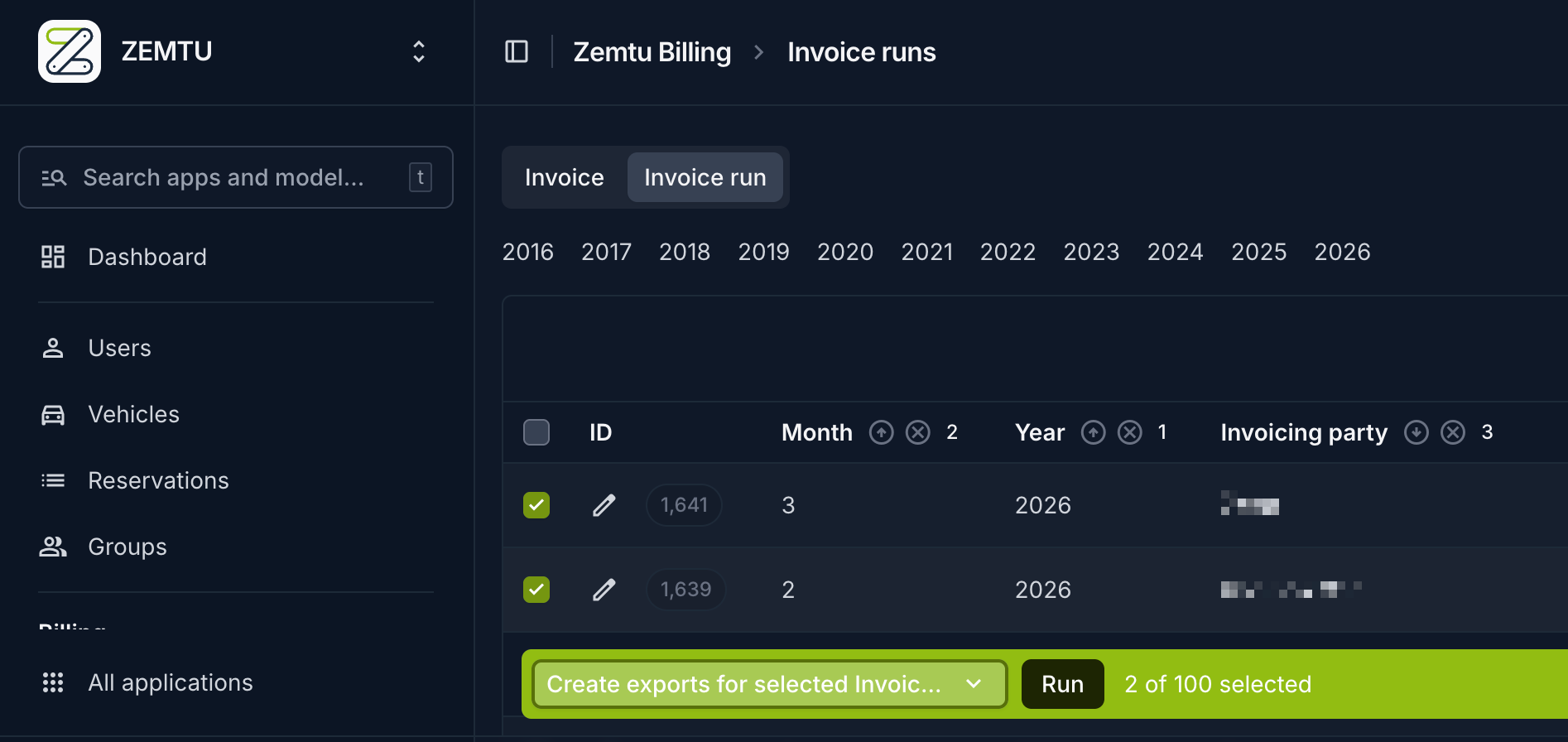
Select the preferred invoice run. Afterwards, you can choose and execute the action Create exports for selected Invoice runs in the action box.
The selected data is exported and stored in the cloud. If you select a large amount of data, this may take a few minutes. However, the export runs in the background.
You can find the exported data in the cloud.
Was this helpful?
Still need help? Share an idea