Support and daily business
Reservation status - handle support issues quickly.
Written By Zemtu
Last updated 6 months ago
Overview
The reservation status view provides support staff with different action buttons and search options. This makes it easier to handle support issues quickly or even avoid problems before they occur.
Explanation
This view shows upcoming, current and recently closed reservations. Different actions can be carried out per reservation, depending on the status.
In your daily business, the reservation status is a useful tool for the support staff so that the driver is supported in the best possible way.
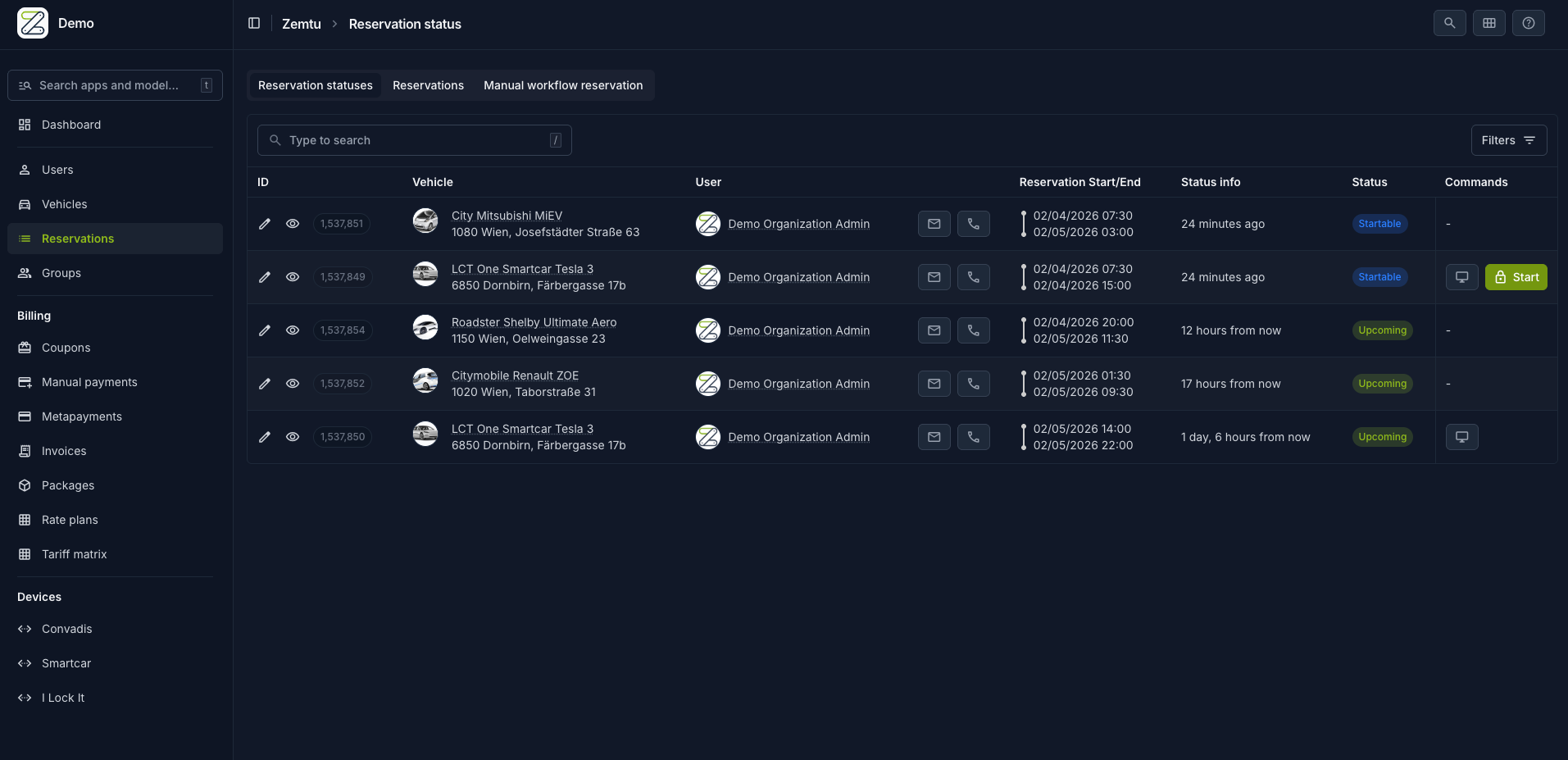
Zemtu → Reservation status
The following actions can be triggered with a click on the below buttons:
Start and / or finish reservation
Lock and / or unlock vehicles
Search for user by first and / or last name
Filter by vehicle, status, group
Only reservations with the following status are visible:
Ongoing: a reservation that has been started and is still active
Upcoming: a reservation that will be able to be started by the scheduled “start time”.
Startable: a reservation that could already be started because the scheduled “start time” is in the past (maybe user is late).
Late: a reservation has already exceeded the time limit and should be ended as soon as possible (to make sure the next user can start his reservation on time).
Access only: unlocking and locking of the vehicle for up to 24 hours after the end of a reservation. As long as the next reservation was not started, the user can retrieve a forgotten umbrella etc.
Reservations that are already completed or deleted are NOT displayed in the reservation status view.
Still need help? Share an idea