Sign-up process
How to keep the registration process smooth and simple.
Written By Zemtu
Last updated 8 months ago
Workflow
General
The registration process is divided into multiple pages, and the new user is guided through the process step by step.
This process can be customized in the administration interface. Depending on the settings, certain pages can be hidden.
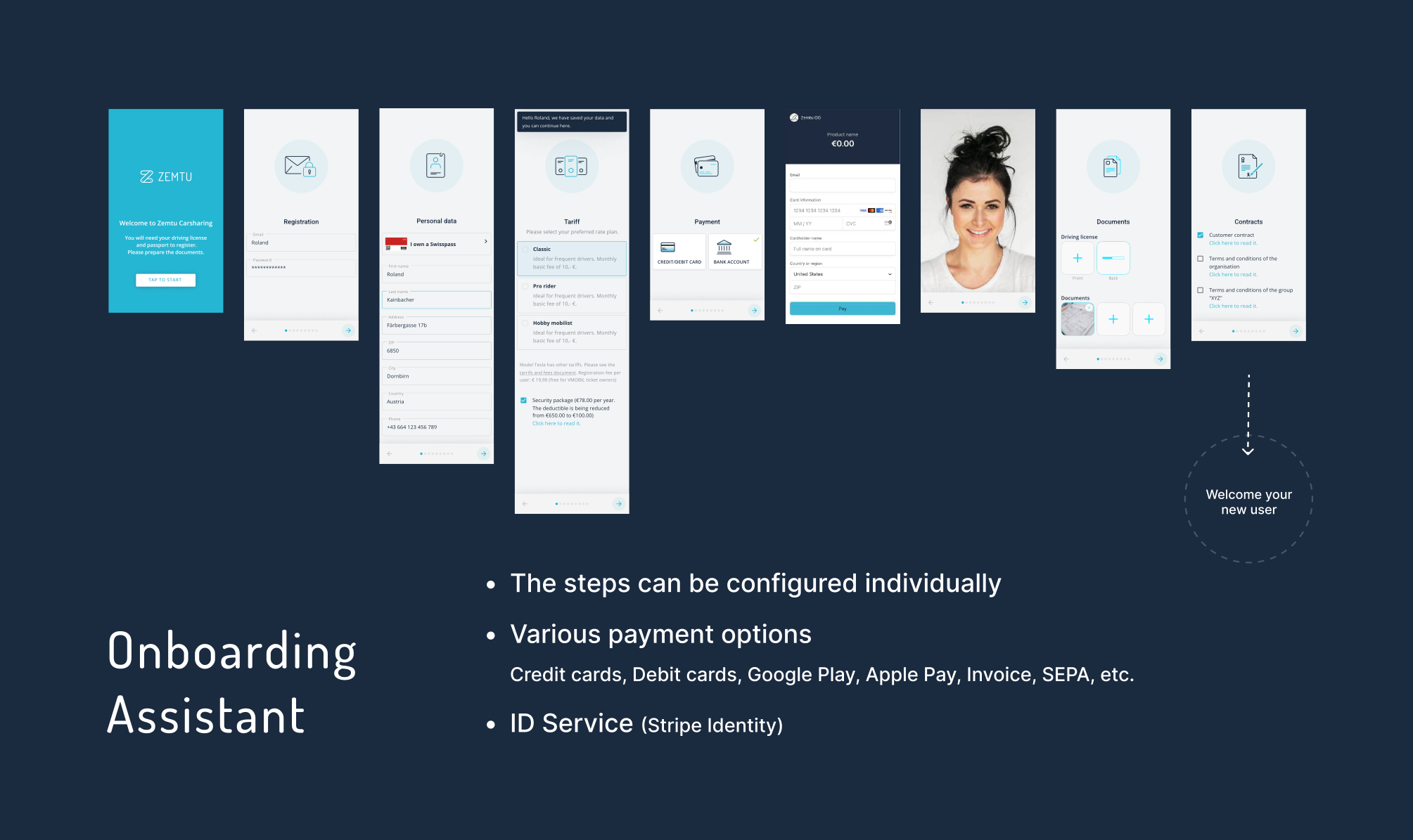
Process for the user
Welcome page
Chose username and password
Join a group (optional)
Personal data
Select a tarif
Add payment method
Upload documents (driver's license)
Accept terms and conditions
Open email program and confirm email
Process for the admin
Verify user (valid driver's license, etc.)
Confirm accreditation
Optionally, the user can also receive various permissions or can be added to different groups. (OrgAdmin, GroupAdmin, etc.)
Questions & Answers
Why does the user not appear in the Accreditations section, but only in Users?
Why does the user not appear in the Accreditations section, but only in Users?
The user has not yet confirmed his/her email address.
A customer has registered but never received a confirmation email.
A customer has registered but never received a confirmation email.
The customer may have entered the wrong email address, or the confirmation email might have ended up in the spam folder.
Why is the credit card being declined during registration?
Why is the credit card being declined during registration?
It's possible that the pushTAN (sIdentity, cardTAN, etc.) is not activated. Please check with the bank for clarification.
The user's email address is invalid or already in use.
The user's email address is invalid or already in use.
The user has probably already registered at an earlier time. In this case, the old account needs to be pseudonymized.
Still need help? Share an idea