Exporting large amounts of reservations
Which export to use for a smaller selection, a full year or regular exports of reservation data, and what the Zemtu Cloud contains.
Written By Zemtu
Last updated About 3 hours ago
Which export should I use?
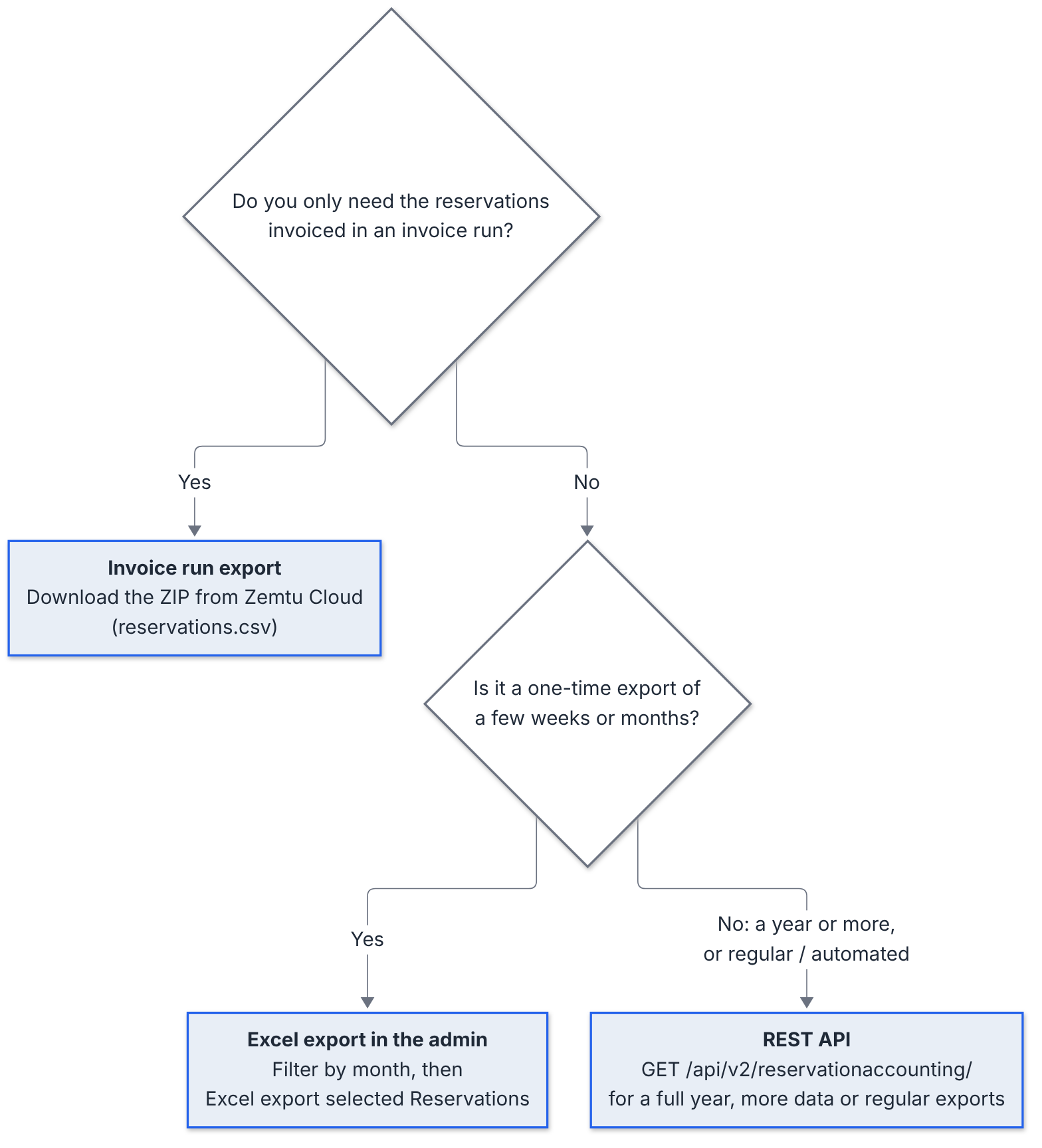
Option 1: Excel export of smaller date ranges
Reservations → Reservations /admin/main/reservation/
Above the list, click a year (for example 2026) and then a month (for example November 2026) to show only that month. Click All dates to go back to the full list.
Click the checkbox to select all reservations on the first page.
To include all filtered reservations, click Select all X reservations.
Choose the action Excel export selected Reservations and click Run.
The file is created while you wait and downloaded as reservationexport.xls.
⚠️ Large selections, such as a full year of reservations, can time out. You then see an error page (504) instead of a file. There's no fixed limit because it depends on how much data there is. Export smaller periods instead, for example month by month, and combine the files. If a smaller period still times out, make it even smaller or use the REST API.
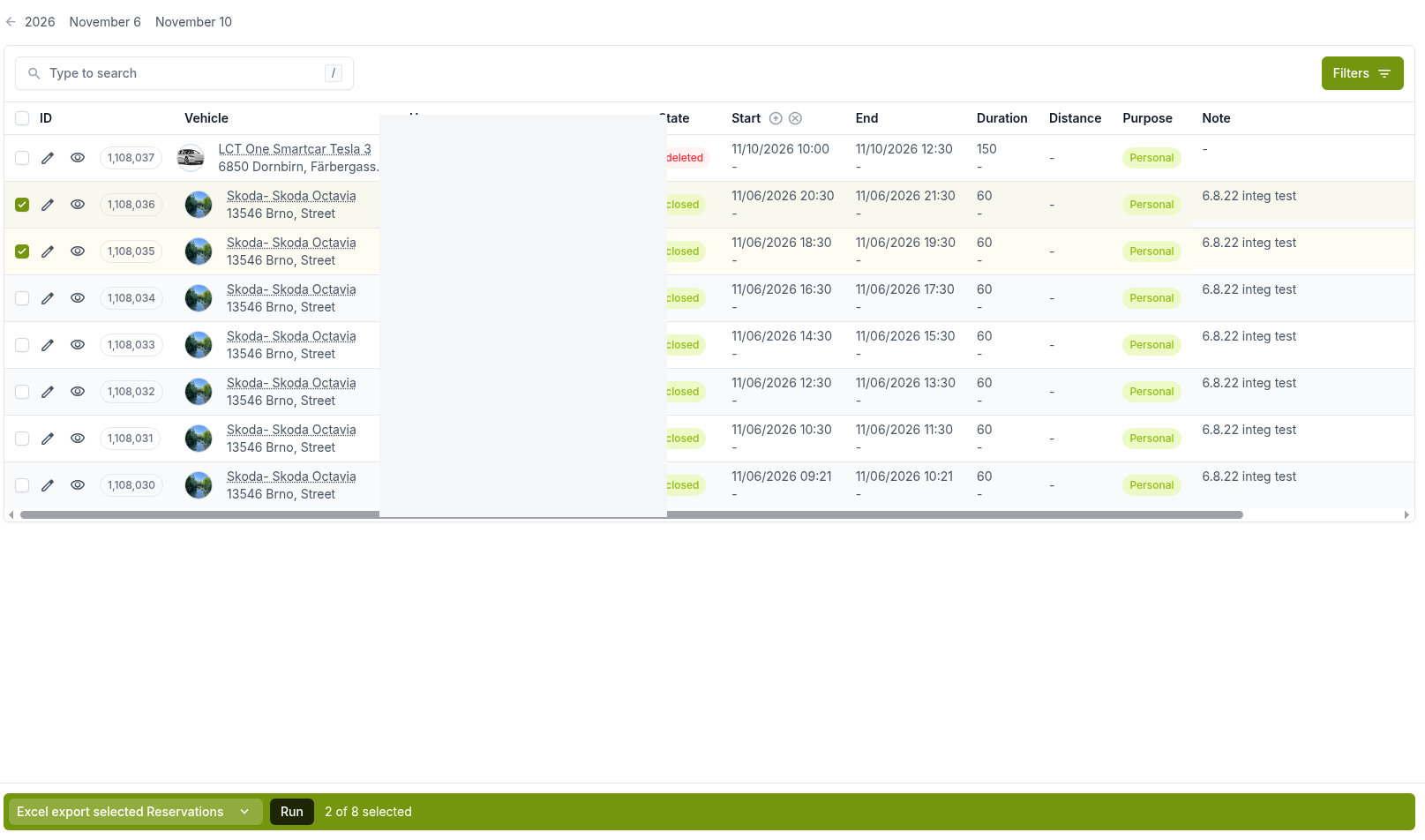
Driver's log walks through the same steps with screenshots.
Option 2: REST API for large or regular exports
The REST API returns reservation data page by page, so it works for any period.
GET https://YOUR_ORGANIZATION.zemtu.com/api/v2/reservationaccounting/Authentication: Token (
Authorization: Token YOUR_TOKEN). The API user sees the same reservations they would see in the administration.Pagination: 50 reservations per page by default, up to 250 with
page_size. Follow thenextlink in each response until it is empty.Period:
reservation_start__gteandreservation_start__ltselect reservations that start in a period.Regular exports:
modified__gtereturns only reservations changed since your last export.
Example: first page of reservations starting in January 2026
Replace YOUR_ORGANIZATION with your subdomain and YOUR_TOKEN with your API token. The times are in UTC.
curl --get "https://YOUR_ORGANIZATION.zemtu.com/api/v2/reservationaccounting/" \
  --header "Authorization: Token YOUR_TOKEN" \
  --header "Accept: application/json" \
  --data-urlencode "reservation_start__gte=2026-01-01T00:00:00Z" \
  --data-urlencode "reservation_start__lt=2026-02-01T00:00:00Z" \
  --data-urlencode "page_size=250"
This returns the first page (up to 250 reservations) as JSON. The response field count shows how many reservations match, and next contains the link to the next page. Request the next pages until next is empty.
💡 Hint: 250 is the maximum page size. If your selection has more than 250 reservations, one request won't return all of them, so keep following next.
Exporting reservations via the REST API explains how to get a token and set up a dedicated API user with the right role (for example "Accountant" or "OrgAdmin"). It also has a script that writes one month of reservations to CSV.
Option 3: Invoiced reservations from the Zemtu Cloud
The Zemtu Cloud is not a general reservation export. When you create an export of an invoice run, Zemtu stores a ZIP file with CSV files for that invoice run in the Zemtu Cloud. Its reservations.csv contains only the reservations invoiced in that run. Reservations that weren't invoiced in that run aren't included.
Use it when you need the reservation data behind an invoice run. For all other reservation exports, use the Excel export or the REST API. See Zemtu Cloud for access and export steps.
See also
Was this helpful?
Still need help? Share an idea