INVERS emergency handling
How organization admins can unlock the car and the immobilizer in case of an emergency.
Written By Zemtu
Last updated 13 days ago
🛟 Emergency
For emergencies, please keep a physical car key in your office so that you can unlock the vehicle. When the 12V battery has drained this is the only way to get into the car.
The INVERS CloudBoxx is usually installed so that it controls the immobilizer via a wire. Then, although the car can be unlocked with the normal vehicle key, it cannot be driven.
To unlock the vehicle and the immobilizer:
Use a standard reservation.
Use INVERS FleetControl.
In case of a communication problem you need to use an “offline service card” which can also unlock the immobilizer. Configure a CloudBoxx / Accessories / RFID MultiCard Reader:
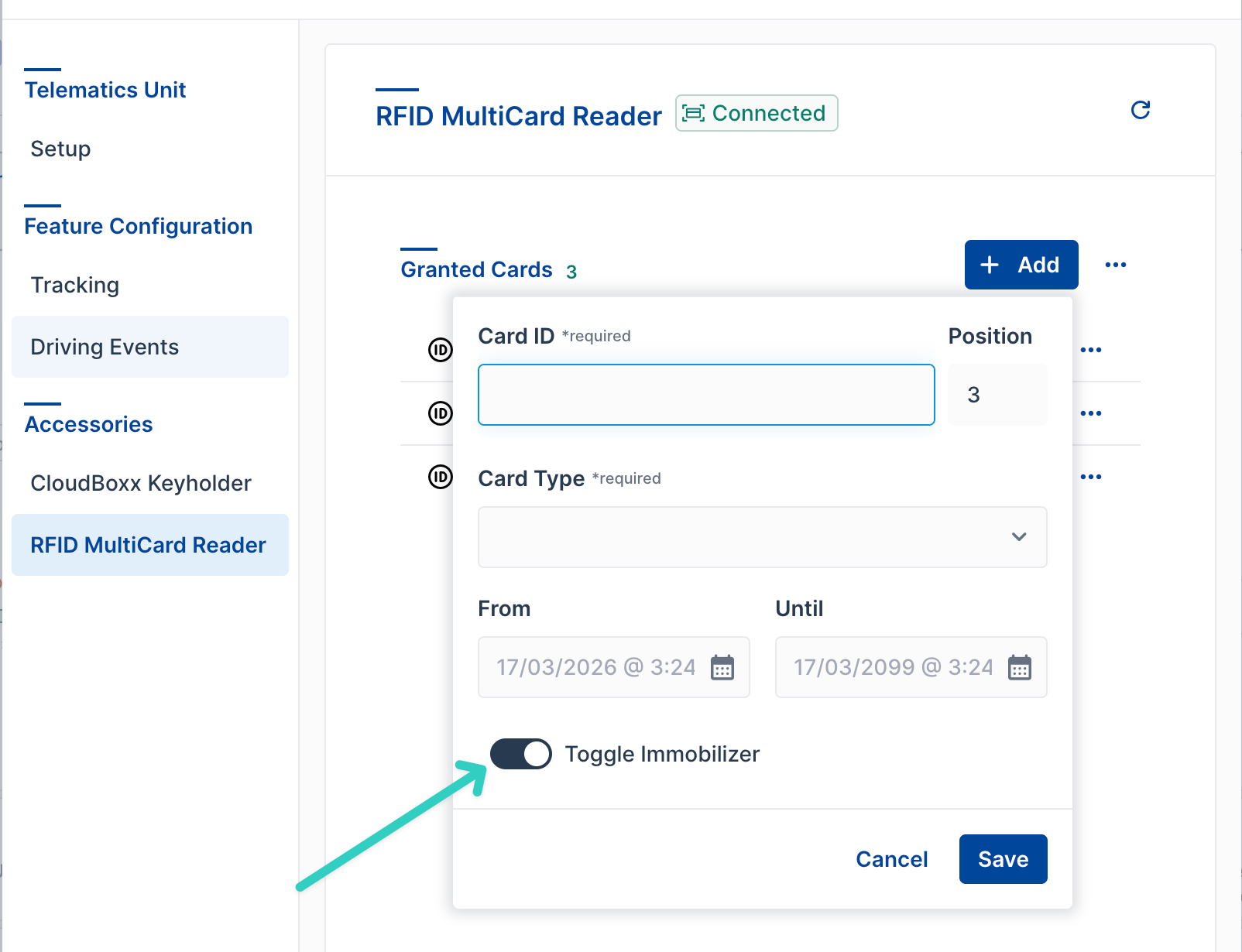
Offline service card that can toggle the immobilizer. You can also use the INVERS SmartControl App (via Bluetooth).
SKM “Smart Key Module” (Lomo)
When the chip of a car key has been soldered into an SKM then you got back the “empty key” (blade only). You can use this “empty key” to unlock a vehicle.
🚒 Offline service cards for emergency services
In the event of a communication failure (e.g. cellular network failure, INVERS failure, Zemtu failure), the vehicle can only be moved with an offline service card. This is particularly essential for emergency services, e.g. to be able to quickly remove vehicles from an underground car park in an emergency.
Please deposit at least one "offline service card" per vehicle.
Please regularly test whether all service cards are working as expected.
Please regularly train the emergency services in the use of these offline service cards.
Still need help? Share an idea