Working with custom tags
Cost center functionality
Written By Zemtu
Last updated 5 months ago
It’s as simple as attaching custom tags to objects like vehicles, rate plans, coupon campaigns etc. On invoice item creation, the assigned custom tags are then propagated to the individual invoice items. When doing accounting, this makes it easy to keep track of individual vehicles, rate plans etc.
Step-by-step guide
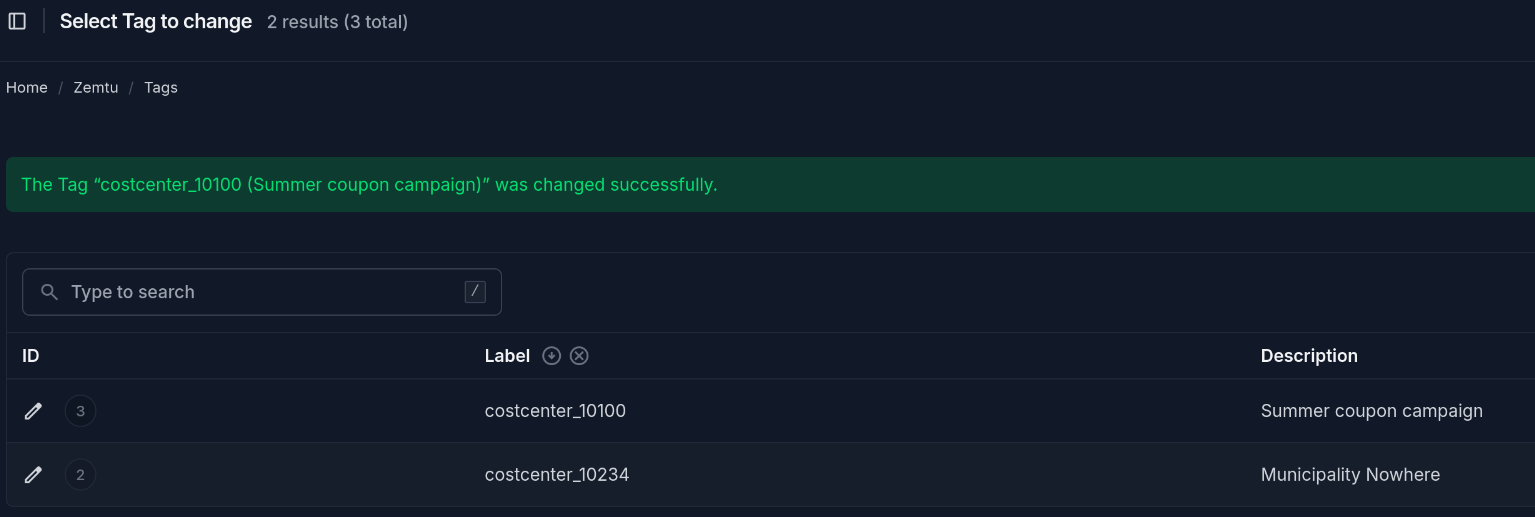
Create custom tags
Custom tags
/admin/main/customtag/
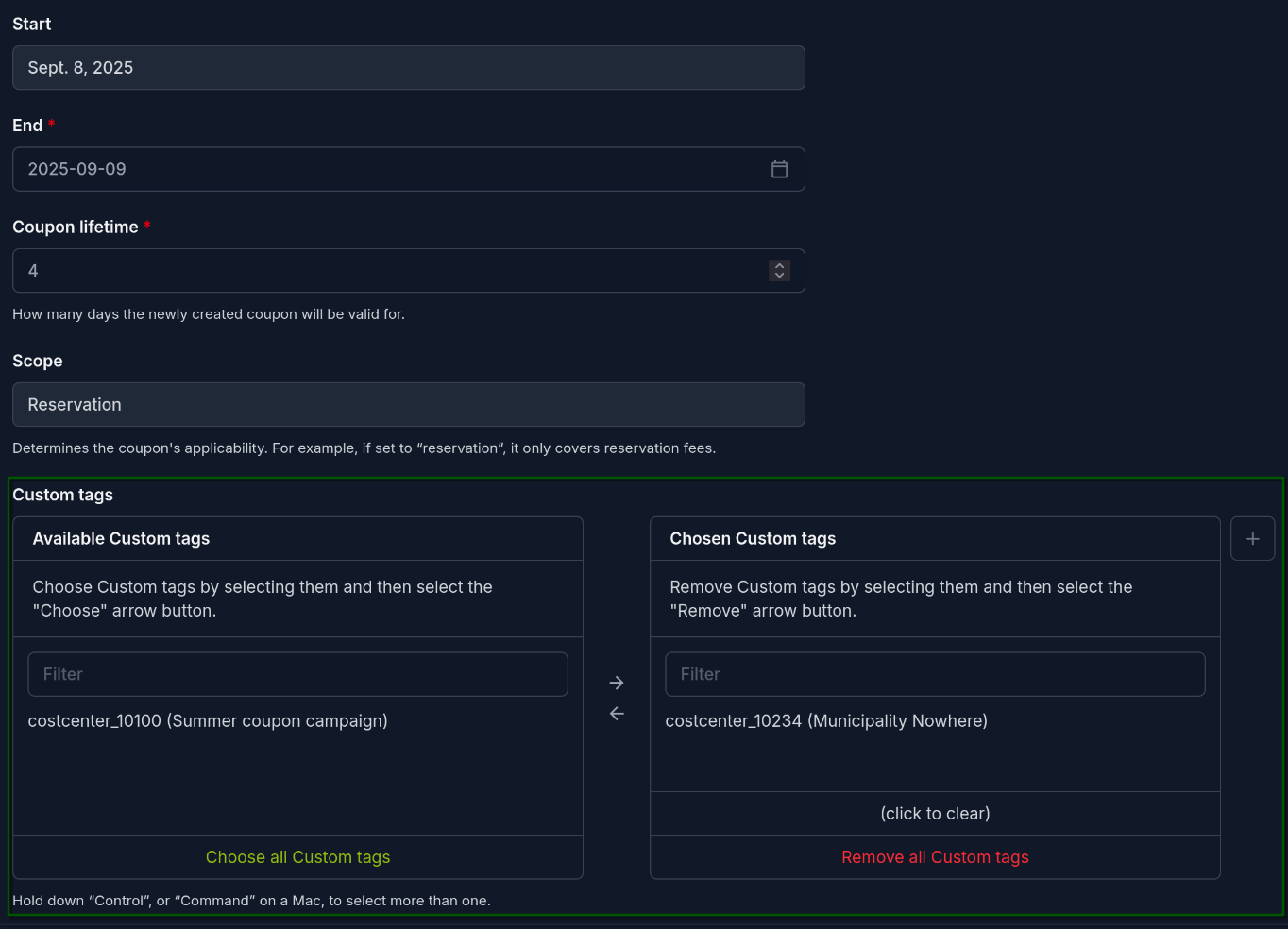
Assign custom tags
Coupon campaigns
/admin/billing/couponcampaign
Invoice item creation (automatic)
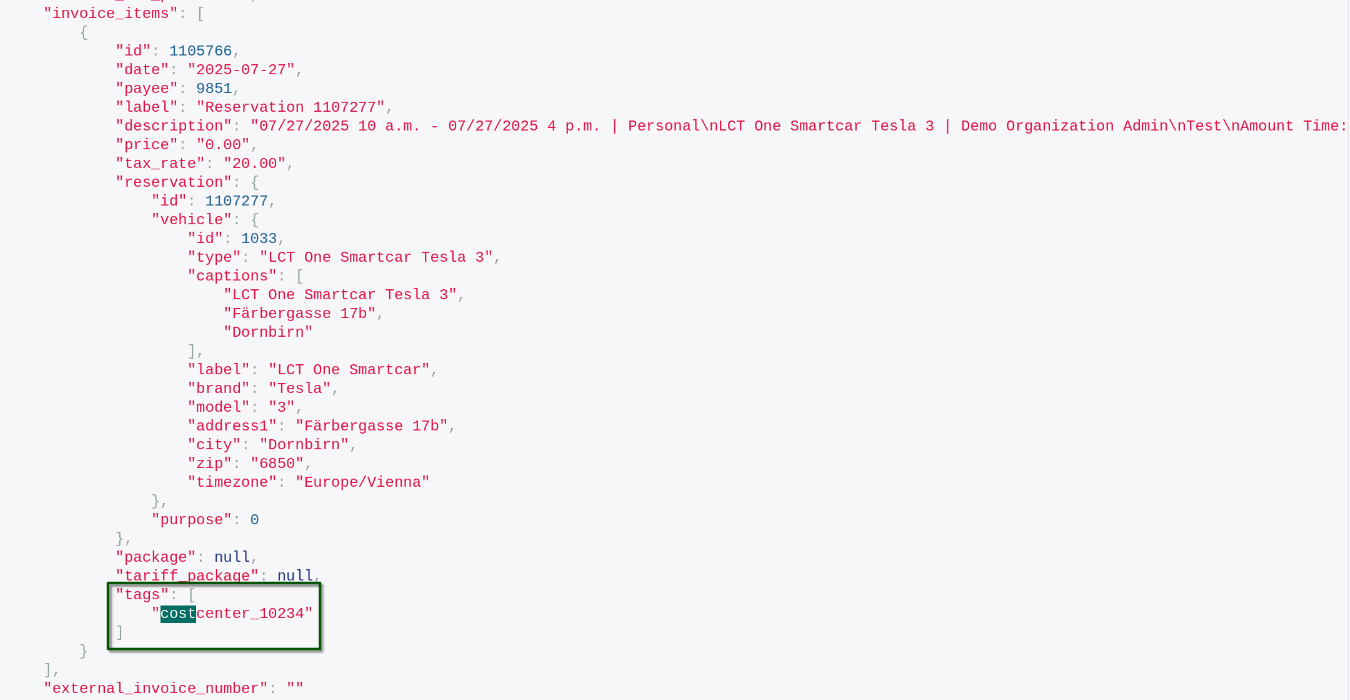
On invoice item creation, the assigned custom tags are automatically propagated to the individual invoice items and frozen.
Invoice export
The invoice exports (REST API or CSV) contain the frozen custom tags.
/api/billing/v2/invoice/?include=tags
Custom tags inheritance table
On invoice item creation, the custom tags from the models are written to the invoice item tags. If not overwritten in the object, the custom tags from the referenced objects are read.
Still need help? Share an idea