Change organization admins
Add or remove an organization admin
Written By Zemtu
Last updated 18 days ago
In order for a normal user to become an administrator, two steps must be taken.
Role
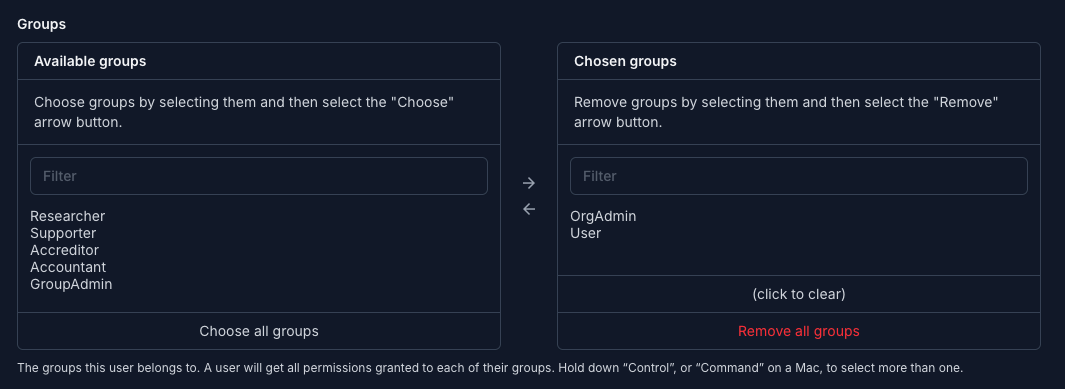
First, you need to change the user’s "role." Edit the user and in the "Permissions" tab, add the group "OrgAdmin."
User → Edit
/admin/main/customuser/XXXX/change/#permissions
Add to Organization
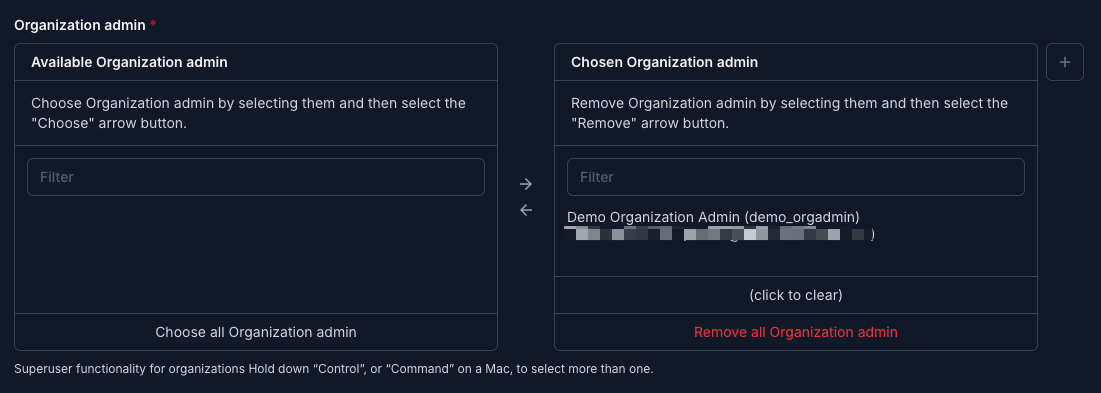
In the second step, the user must be added as an administrator in the respective organization. To do this, go to the organization and in the "Personnel" tab add this user to "Organization admin":
Organization → Edit
/admin/main/org/XXXX/change/#personnel
Remove from Organization
Remove the person from the Organization admins
Then remove the group (role) “OrgAdmin” from the user.
Still need help? Share an idea