Changelog

Follow new updates and improvements to Zemtu.

Mobile App 8.3.0 “Combined map list view“
New: 🌟

In desktop map view, the combined map list now displays a list of filtered vehicles on the left. In guest mode, this is the only available view.

Rental companies typically use this as their default view, even for logged-in users. This can be configured for you.
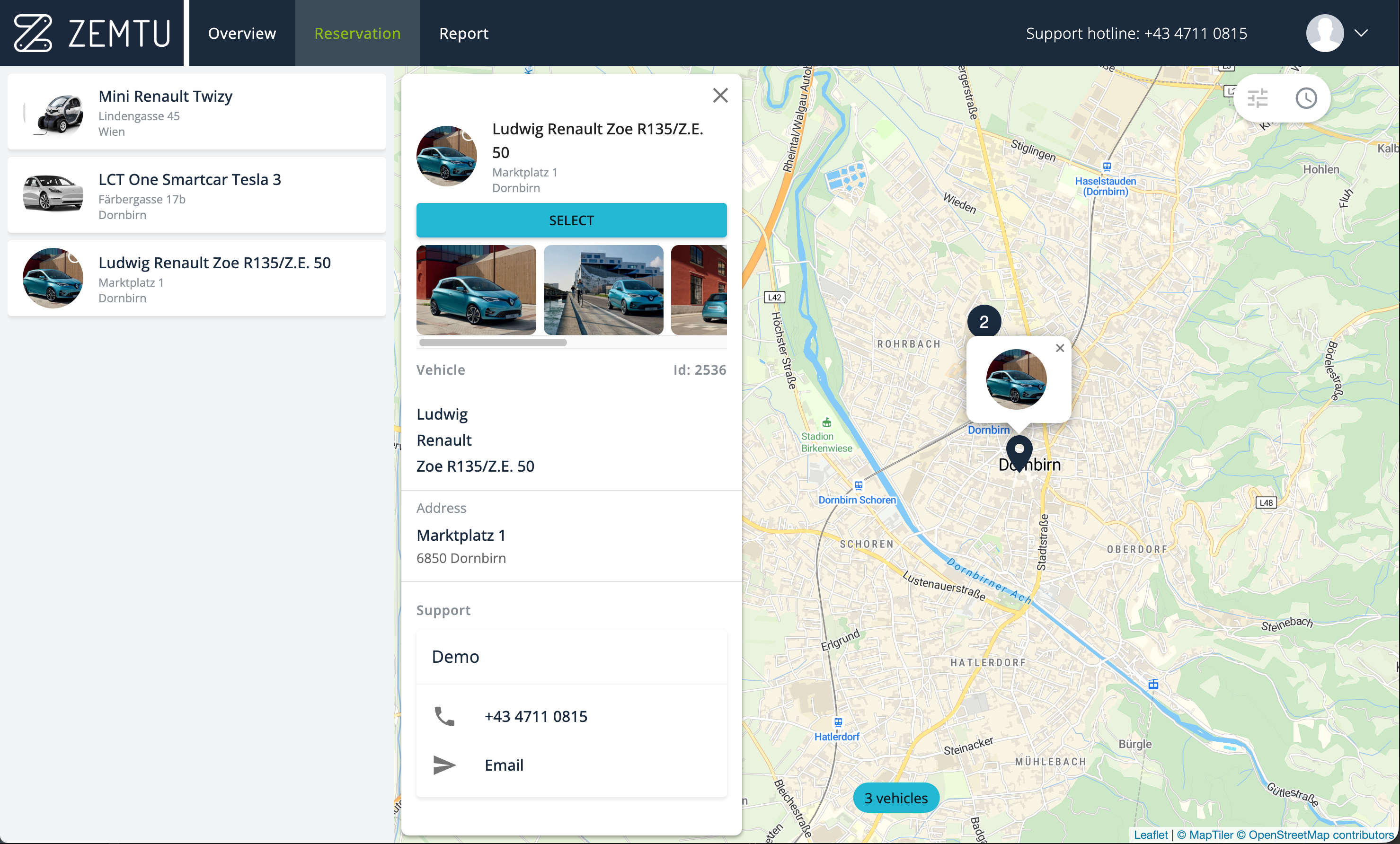
Side panel with vehicle images.

The bottom sheet can now be expanded and also includes vehicle images in guest mode.
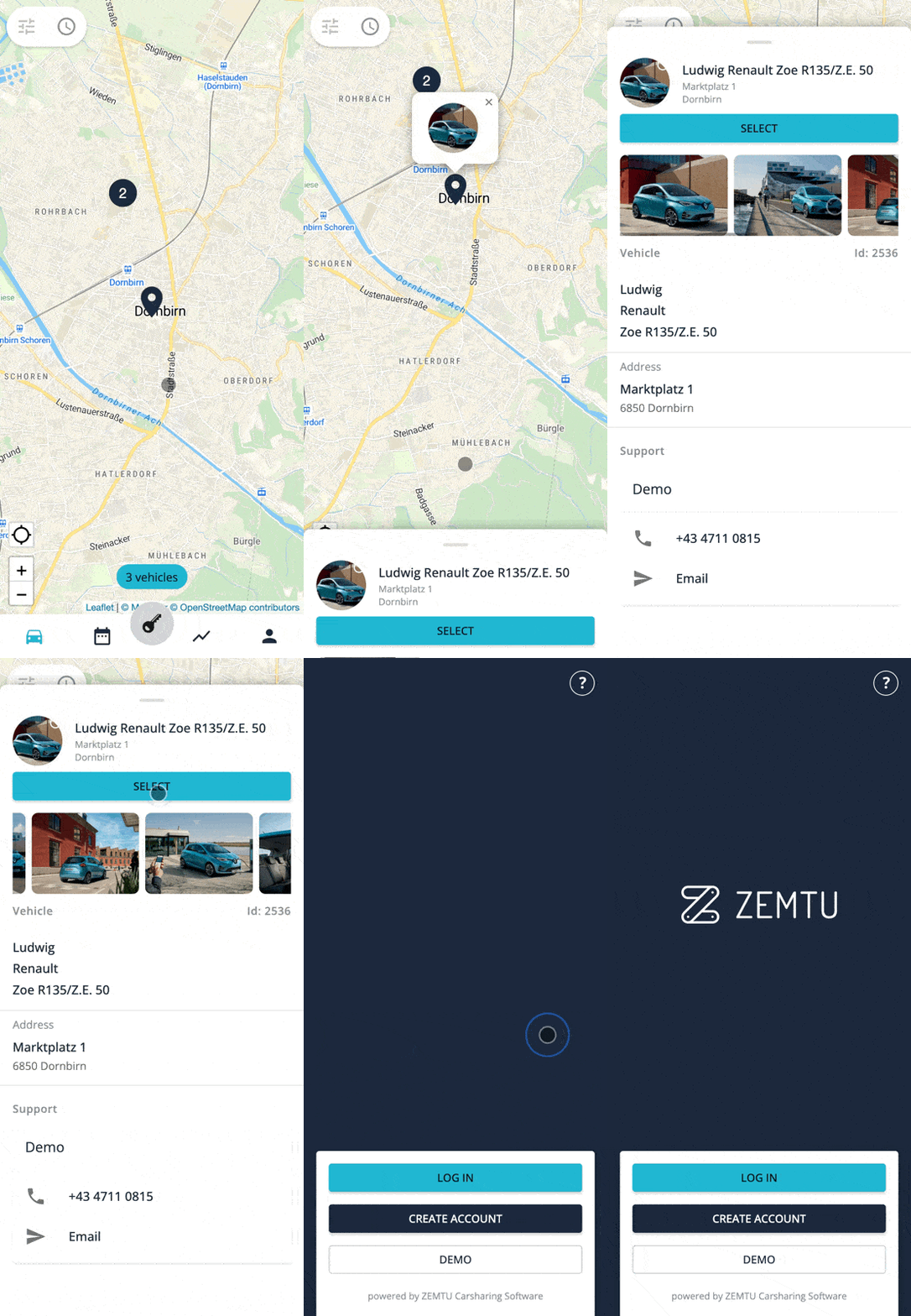
All vehicle images in the bottom sheet.

Cancel membership form

Now, when users cancel their membership, you can ask them questions. These questions can be defined in multiple languages. This feature is included in your plan at no additional cost. We will configure it for you. Please click here for more details.
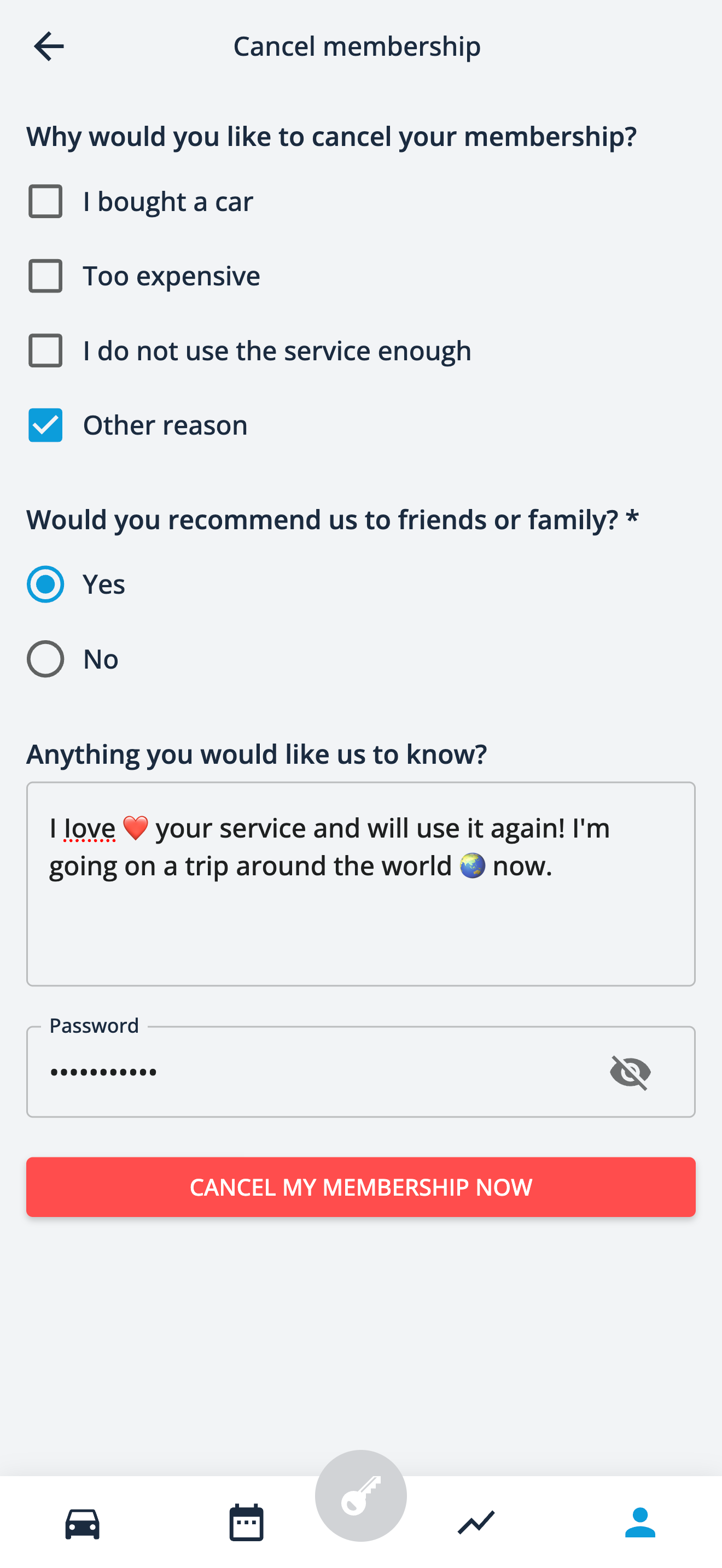
Cancel membership form.

Improvements 🎉

We've added the word "Continue" before the button in the sign-up process to make it clear that this button needs to be pressed to continue to the next page.
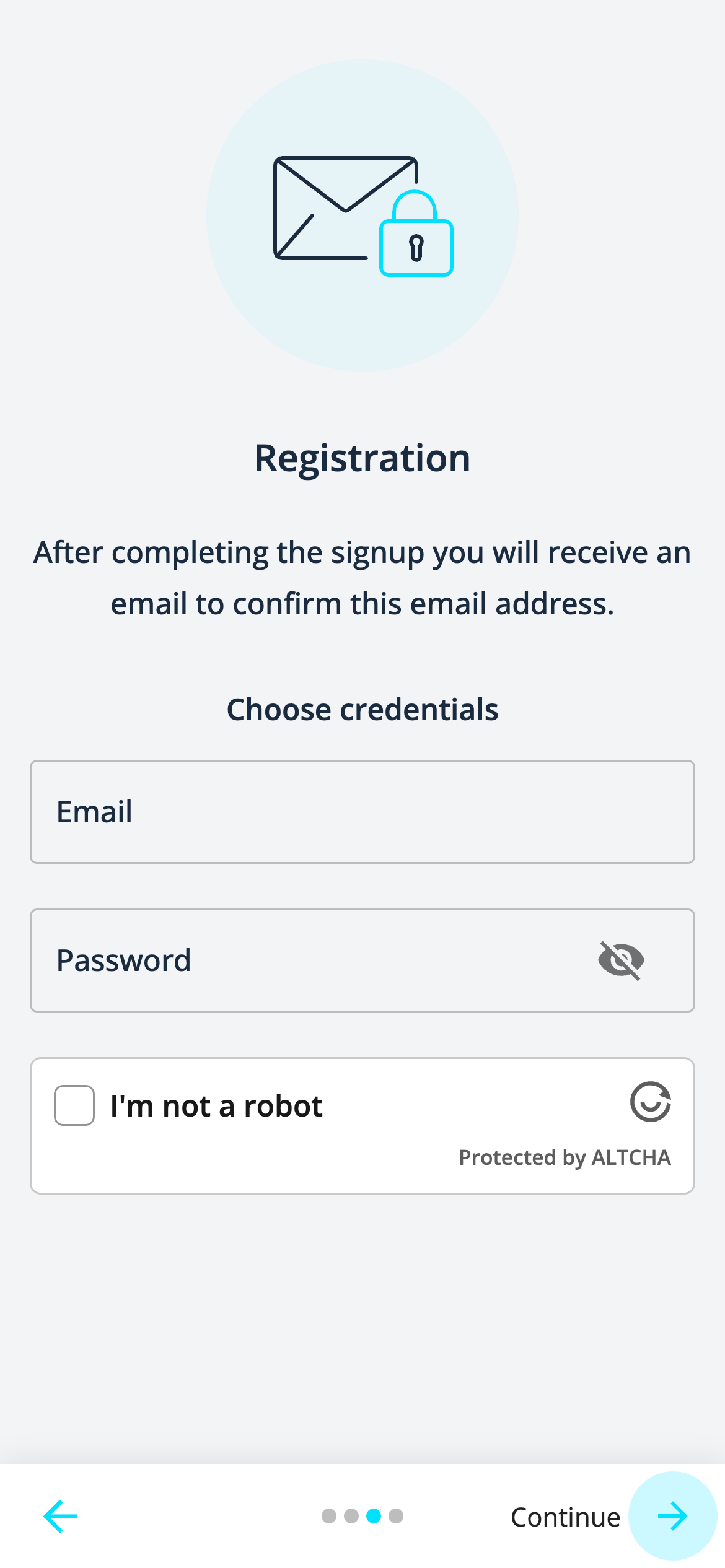
"Continue" before the button in the signup.
  • All vehicles are now displayed in the list of the combined map list view.

  • You can now hide vehicle tags.

  • After finishing a reservation, the Bluetooth icon will be displayed on the report detail page when unlocking or locking a Convadis vehicle via Bluetooth.

  • There are visual improvements in the presentation of information.
Backend 6.8.6-14

These nine ✋ releases once again bring several improvements under the hood. Highlight definitely is the signup bot protection, which we have polished in multiple releases. It’s now ready to be used by organization admins.

New 🌟

Signup rules

As bot protection, we have added ALTCHA in August. Some of the bots still get through the ALTCHA protection and for this we have implemented signup rules. This is about an additional email address check and setting up the rules your organization requires.

https://help.zemtu.com/articles/1903894-signup-email-rules

Payment toolbox

In a several months effort, we implemented a 🆕 payment toolbox with additional capabilities to serve the needs of our customers. This toolbox now cover cases like expired authorization and more.

In the following help article, the differences are explained in detail:

https://help.zemtu.com/articles/2752970-payment-toolbox

First Zemtu customers are already using the new toolbox by default and we plan to roll it out to all customers until the end of 2027.

Improved ✨

  • Improve performance of invoice item sorting. This makes processing payments and sending invoices quicker.

Fixed 😎

  • Only allow impersonation of active users.

  • Improve stability of the task workers to prevent outages.

Mobile App 8.1.0 “Bottom Sheet“

New: 🌟

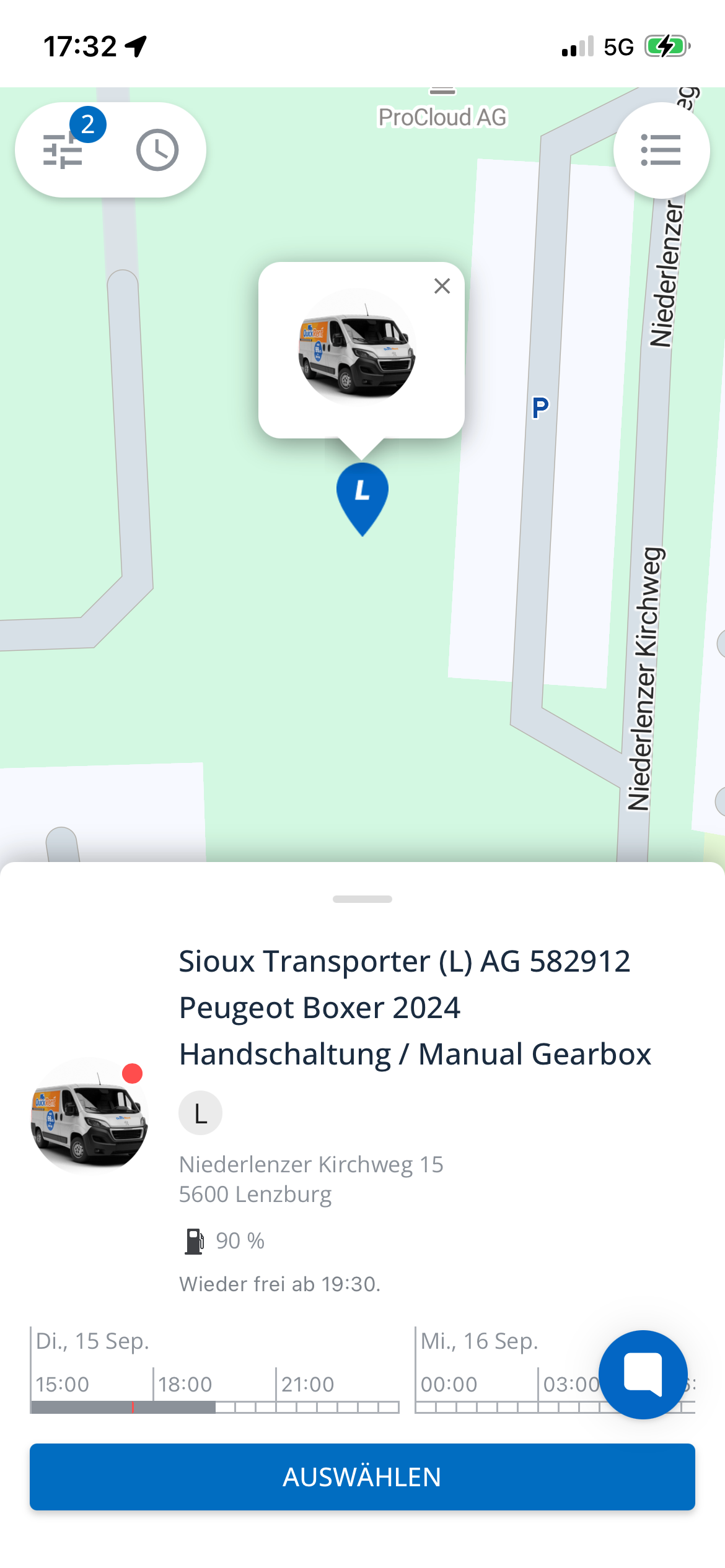
In the map view, the bottom sheet displays vehicle details at the bottom of the screen. We will use it to show additional information about the vehicle in the future.

Bottom sheet

Improvements: 🎉

Only if a vehicle has an on-board unit that supports Bluetooth:

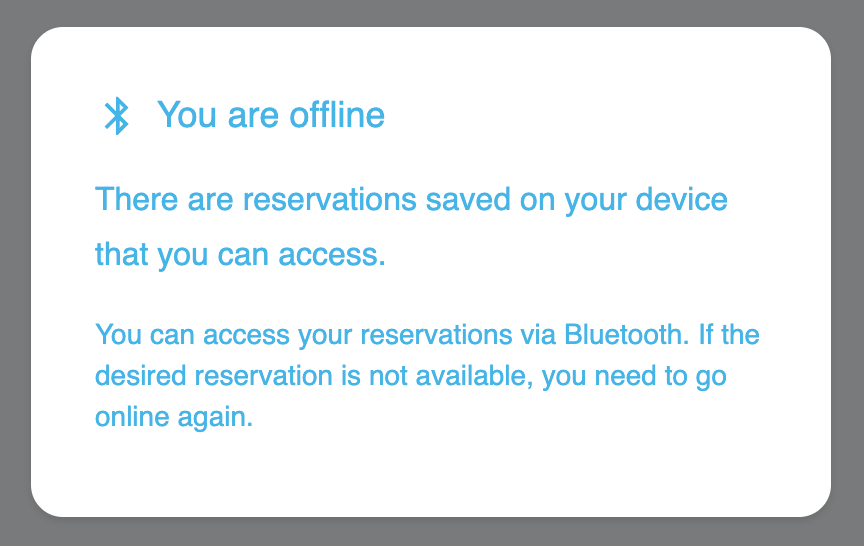
  • Show the option to access reservations on an offline smartphone.

  • Display a warning if Bluetooth is generally disabled or if the app has not been granted permission.

Reservations accessible via Bluetooth.
  • Display that a reservation is available offline.

Reservation is available offline.

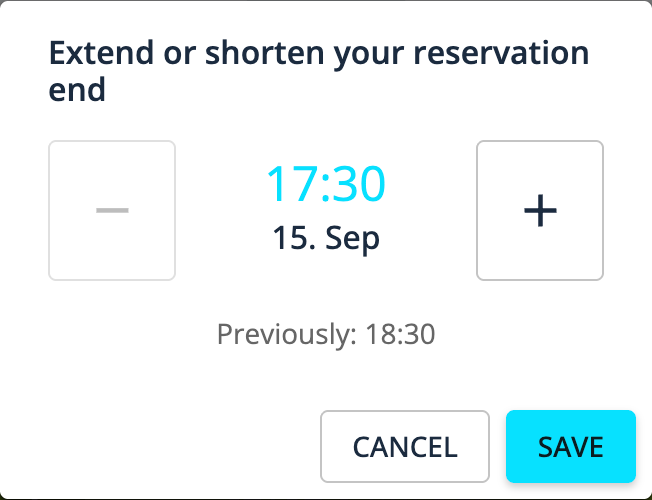
Prevent shortening a reservation end into the past.

Reservation shortening

The app now displays a distance slider in the cost calculator for all vehicles, except for I LOCK IT bicycle locks.

Fixed: 😎

If a reservation does not sync immediately with the Convadis backend, we will try again after three seconds.

Earlier updates