Offer your customers the Zemtu extension for Raycast
Your customers can find and book vehicles straight from their desktop on Mac and Windows. Try it yourself in a few minutes.
Written By Zemtu
Last updated 36 minutes ago
Raycast is a free launcher for macOS and Windows. A keyboard shortcut opens a search bar, from which people open apps, search files or run small tools. Extensions add commands for other services. We built a Zemtu extension for Raycast that you can offer your customers.
What the extension does
Your customers sign in with their normal Zemtu account and can then:
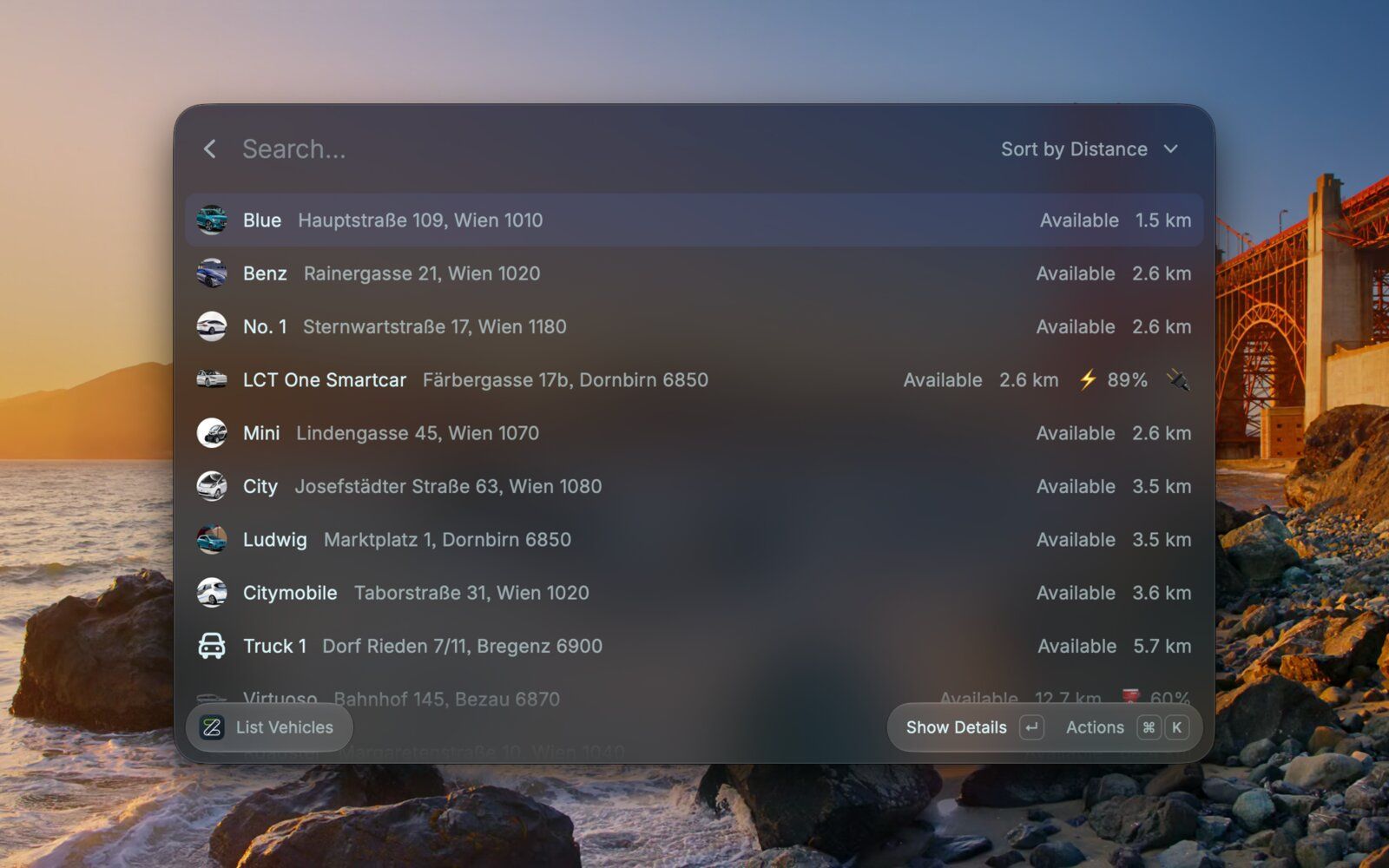
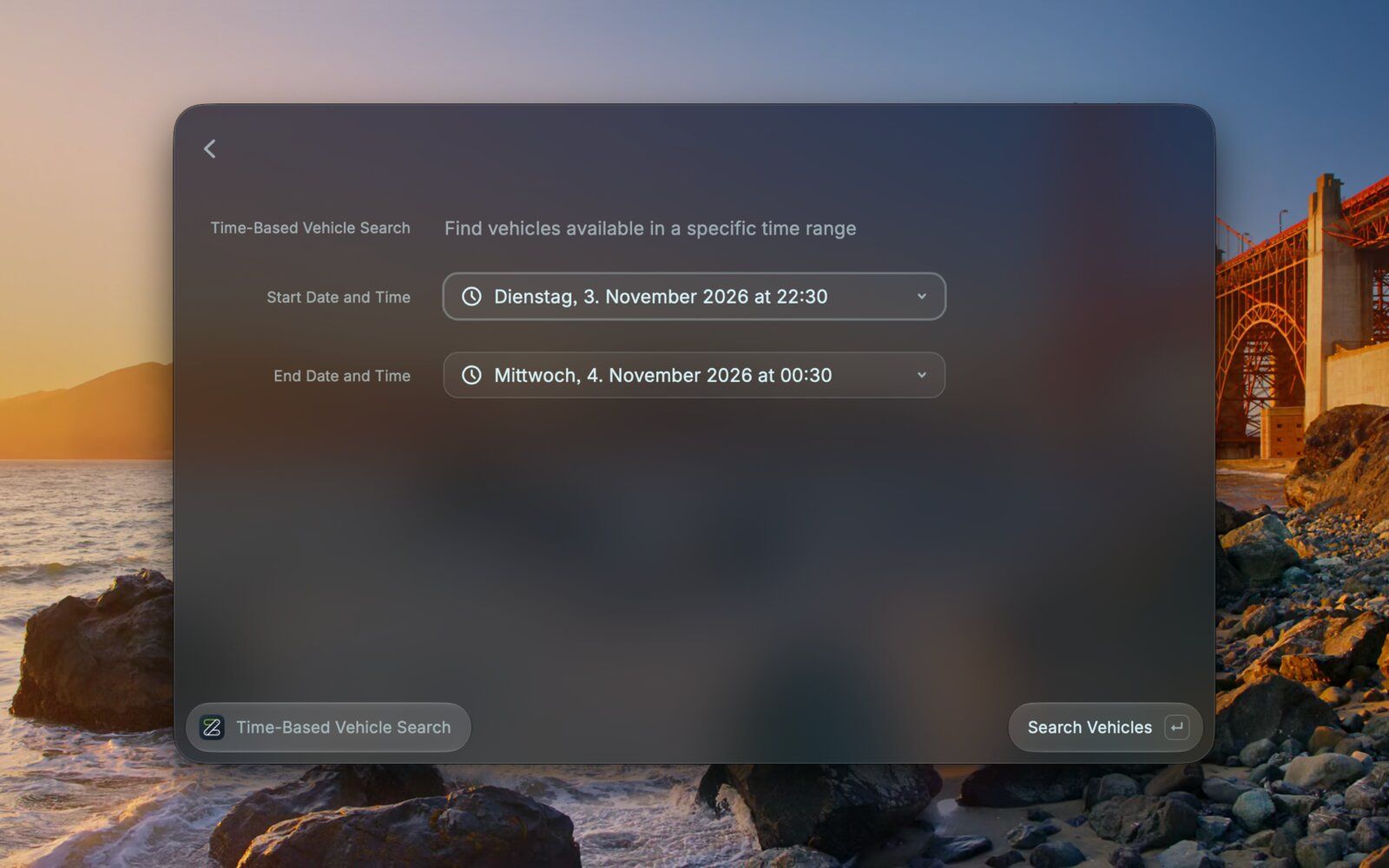
Find vehicles: see all vehicles sorted by distance, or only the ones that are free at a certain time.
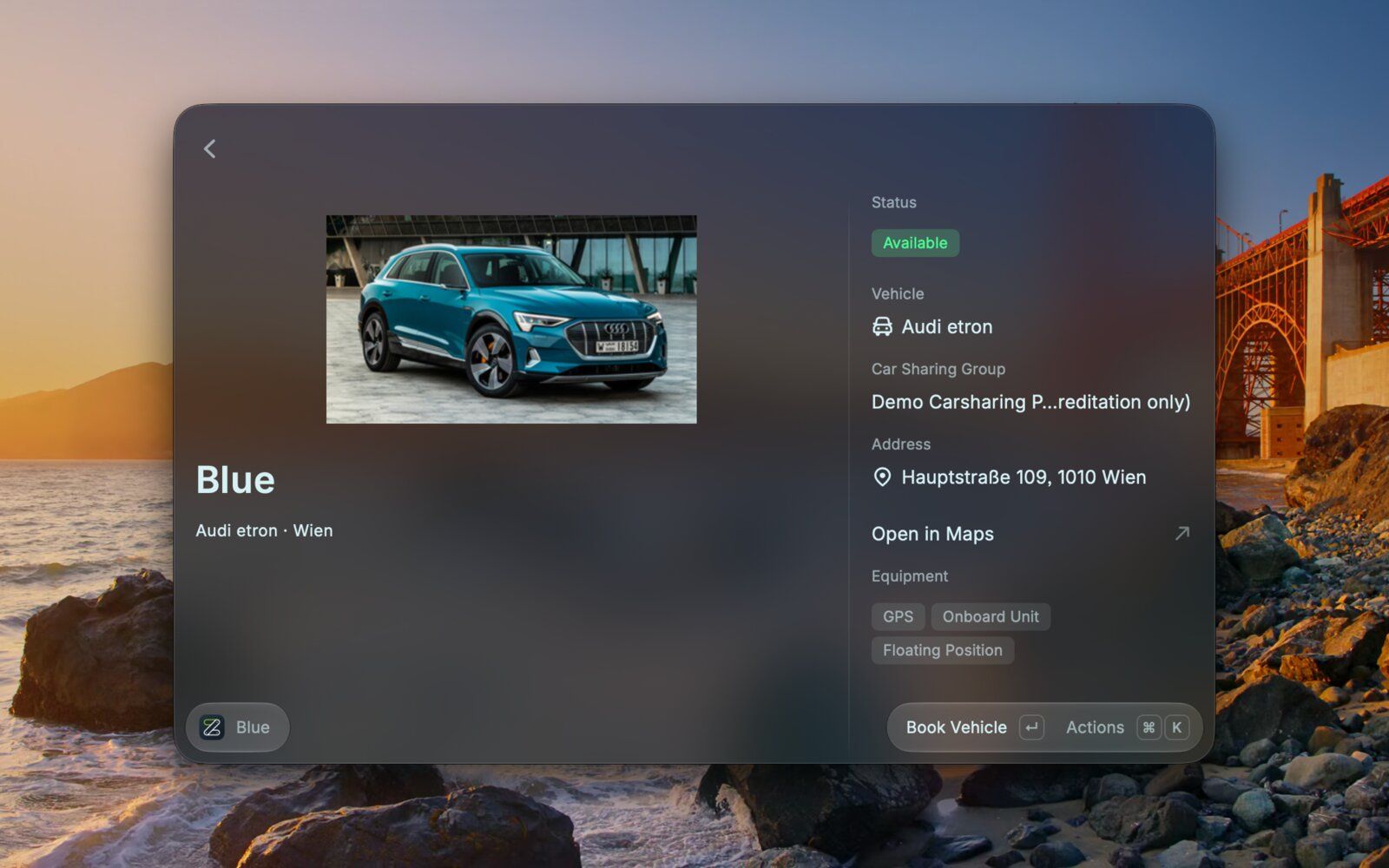
Book in seconds: pick a vehicle, set the time and confirm, all with the keyboard.
Manage reservations: see, edit or delete their current and upcoming bookings.
See the next booking in the menu bar (macOS only).
Book in plain language with Raycast AI: e.g. "Book me the nearest free car tomorrow from 9 to 12". Raycast always shows a confirmation before anything is booked. This needs a Raycast Pro subscription. All other features are free.
The extension is free and works with every Zemtu organization. You don't have to switch anything on. Your customers only need your Zemtu address, their username and their password.
Try it yourself
Download Raycast: for Mac or for Windows 10/11 (Microsoft Store).
Open the Zemtu extension and click Install Extension.
Open Raycast, type "Zemtu" and choose a command. Enter:
Zemtu URL: your organization's address, e.g. https://yourcompany.zemtu.com
Username and Password: your Zemtu login
Your Location (optional): an address, so vehicles are sorted by distance
Run Check Settings to make sure everything works.
Run List Vehicles, select a vehicle and book it with ⌘↵ (Windows: Ctrl+Enter).
What it looks like
The vehicle list, nearest vehicle first:
Vehicle details with the Book Vehicle action:
Searching for vehicles that are free during a specific time:
Tell your customers
Share the link to the extension in your newsletter, on your website or in your welcome email: https://www.raycast.com/zemtu/zemtu
Notes
Passwords are stored encrypted in Raycast. The extension talks directly to your Zemtu server.
With Raycast AI, vehicle names, addresses and reservation times are sent to the AI model. Passwords and access PINs never are. The normal commands don't use AI.
Your customers can check their settings themselves with Check Settings. For account problems they contact you as usual.
Was this helpful?
Still need help? Share an idea