Convadis workflows
How to finish reservations with the key detector in the glove box.
Written By Zemtu
Last updated 2 months ago
With key detector
Finishing a reservation with the app
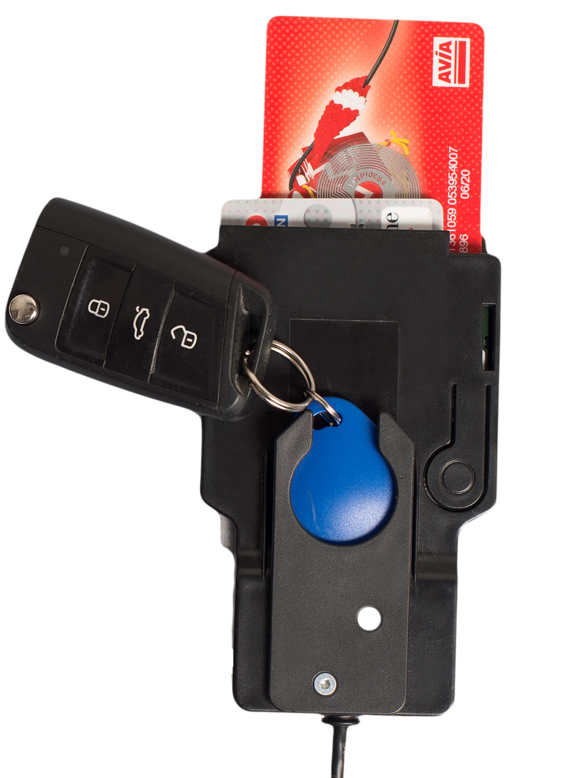
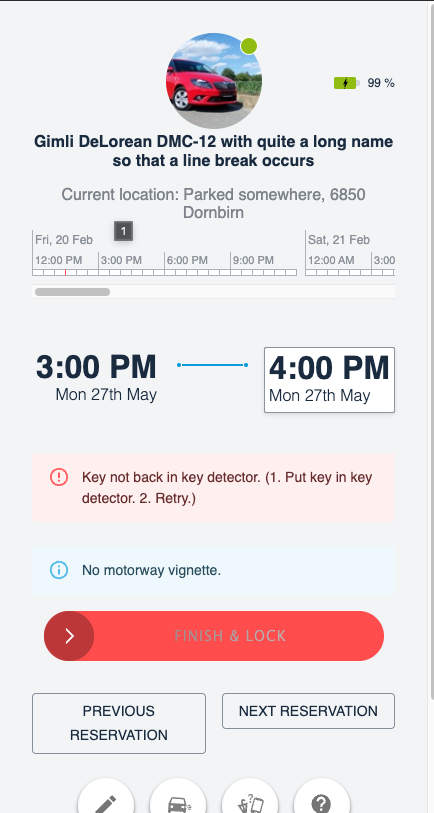
The key fob needs to be returned to the key detector. When the user didn’t return the key fob into the key detector, then he cannot finish the reservation. The app will display such an error message:
Key not back in key detector. (1. Put key in key detector. 2. Retry.)
Key fob was lost
Convadis controls the workflow. So you need to:
Close the reservation here:
/admin/main/reservation/XXXX/change/Send a command via Convadis CCom to end the reservation and lock the vehicle or contact the Convadis support.
Without key detector
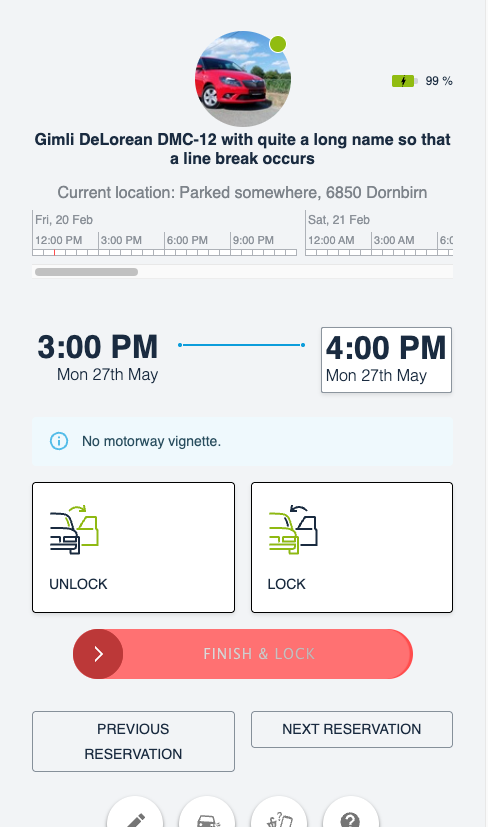
The app will display the additional buttons “Unlock” and “Lock” which can be used for intermediate stops.
Finishing a reservation with the app
To finish the reservation he uses the slider button “Finish & lock”.
Finishing a reservation with a chip card
When there’s no key detector in the vehicle and the users holds the chip card against the chip card reader in the windshield, then Convadis cannot know whether the user wants to finish a reservation or just lock the door at an intermediate stop.
By finishing the reservation with the chip card, the “finish reservation” signal will only be sent to the Zemtu backend via Convadis CCOM when the next reservation will be started.
Read more here: https://wiki.convadis.ch/wiki/Interrupt_or_end_usage