Roles
In the Zemtu system, there are 4 user roles.
Written By Zemtu
Last updated 3 months ago
Roles Overview / Matrix
Assignment
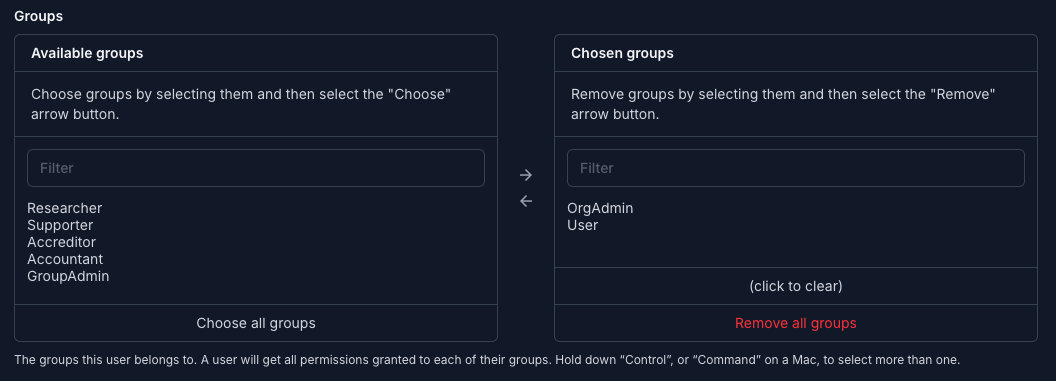
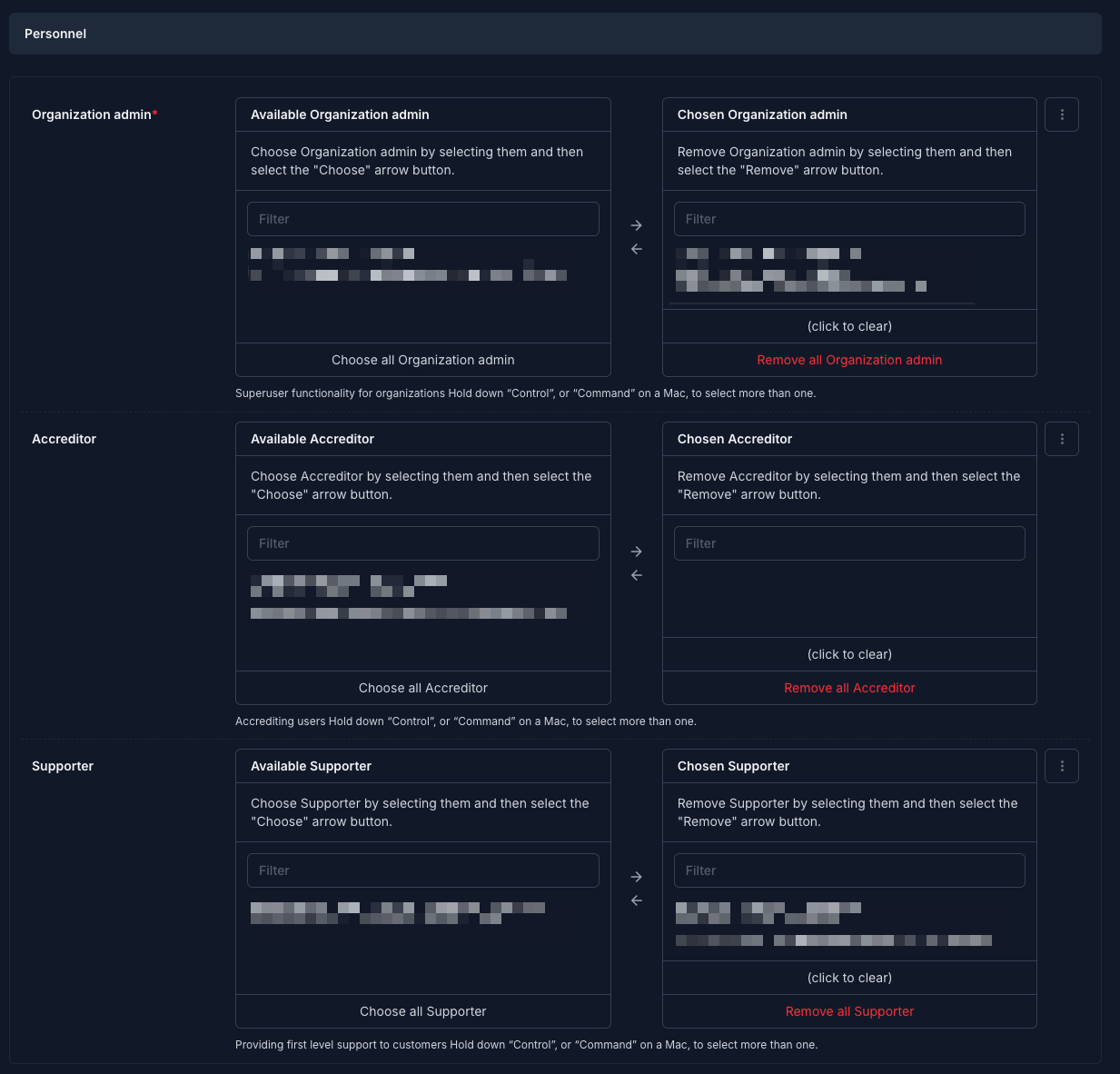
The assignment takes place in 2 steps. In the first step, the user needs the permissions. Subsequently, this user must then be added to the organization in the selected section.
https://xxxx.zemtu.com/admin/main/customuser/xxxx/change/#permissions
Zemtu - User - Edit
Zemtu - Organizations - Edit
Researcher Role
The Researcher role is a per-carsharing-group, read-only access role intended for academics, consultants or analysts who need to study vehicle and trip data without being able to change anything in the operational system.
What a Researcher can do
View trip data (trip segments) for vehicles of every carsharing group they are assigned to as Researcher — including vehicle, start/end time, distance, odometer readings and energy/fuel level. Read-only, no editing.
Trip data is limited to the current and previous calendar year.
If a carsharing group has "Tracking Data API" enabled, Researchers can additionally retrieve pseudonymised reservation and trip data of that group via the Monitoring Tripdata API. Personal data of drivers is not exposed; users are referenced by a hash.
What a Researcher cannot do
No access to users, payers, vehicles, reservations, memberships, accreditations, chipcards, tariffs or any settings.
No write access of any kind — no add, no edit, no delete, no exports beyond what the trip-data view itself offers.
No access to data of carsharing groups they are not explicitly assigned to as Researcher.
How a Researcher is assigned
A Researcher assignment requires two steps, performed by an Org Admin (or Superuser):
Add the user to the Researcher auth group.
Add the user to the Researcher field of every carsharing group whose data they should access.